Paper Clusterer: Turn Your Obsidian Vault into a Research Map
The Problem: A Graveyard of Research Notes
My Obsidian vault had become a mess. Hundreds of paper notes, lecture materials, and research ideas—scattered across folders, poorly connected, and increasingly difficult to navigate. Sound familiar?
As researchers, we consume vast amounts of information. We take notes, highlight papers, jot down ideas. But without proper organization, this knowledge remains fragmented and underutilized.
I knew the technical solution was straightforward: embed documents using language models, cluster them by semantic similarity, and auto-generate meaningful labels. A classic NLP pipeline that could transform chaos into structured insight.
But there was a catch: I didn’t have time to learn TypeScript and the Obsidian Plugin API from scratch.
The Solution: Agentic Development
Enter modern AI coding tools. What would have traditionally required weeks of learning and development, I built in days through iterative collaboration with AI agents. The result is Paper Clusterer—an Obsidian plugin that automatically organizes your research notes into thematic clusters.
What It Does
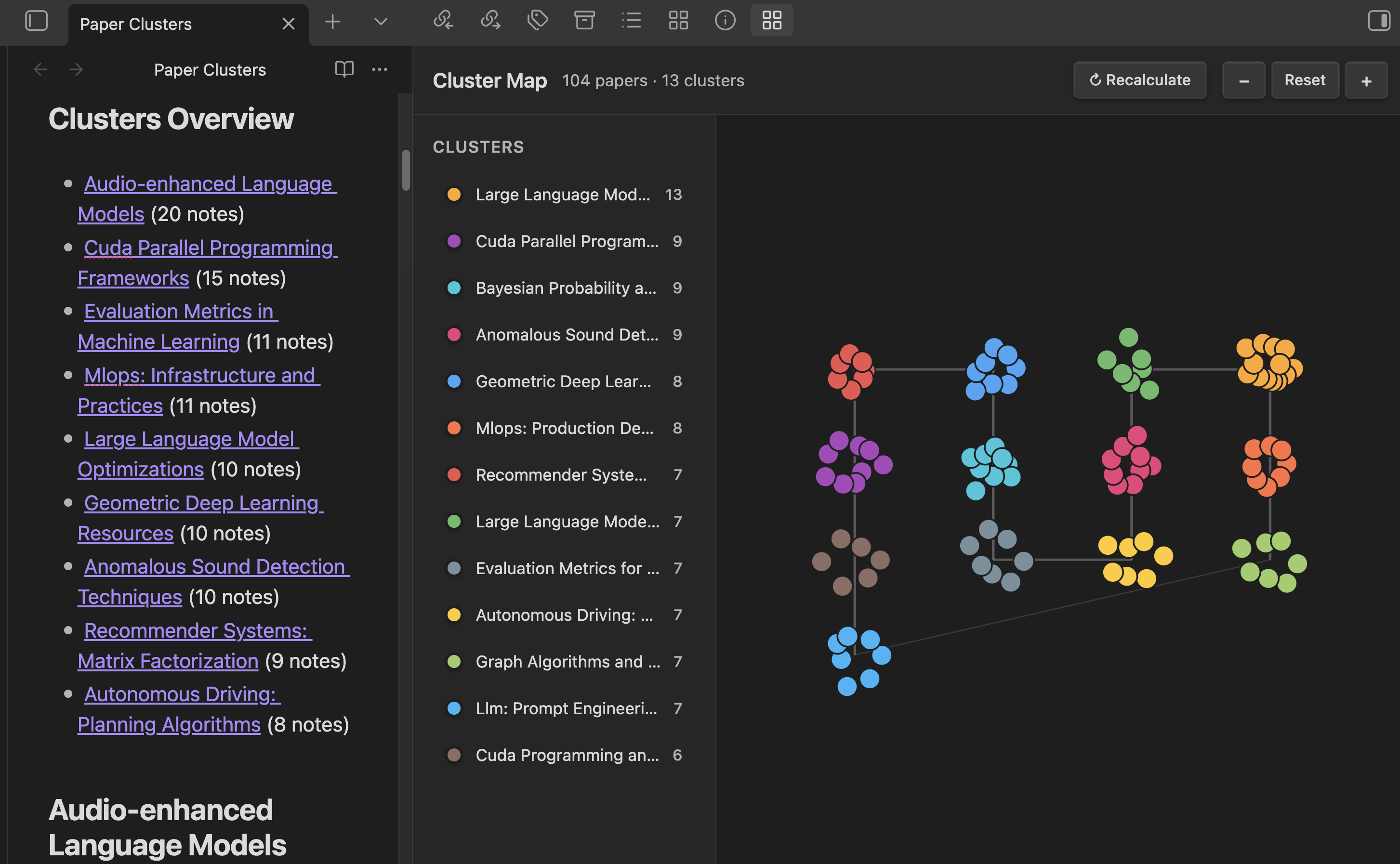
Paper Clusterer transforms your scattered notes into an interactive knowledge map:
🔹 Multi-Provider Embeddings
Choose your preferred embedding provider:
- OpenAI (text-embedding-3-small/large)
- Ollama (local, free)
- LM Studio (local, free)
Keep your data private with local options, or use cloud APIs for convenience.
🔹 Smart Clustering Algorithms
Two algorithms to fit your needs:
- HDBSCAN: Automatically discovers the optimal number of clusters, handles outliers
- K-means: Classic algorithm with automatic K selection via silhouette analysis
🔹 AI-Generated Scientific Labels
No more generic “Cluster 1”, “Cluster 2”. The plugin uses LLMs to generate research-appropriate labels:
- OpenAI (GPT-4o, GPT-4o-mini)
- Kimi (Moonshot) - particularly strong for Chinese/English academic content
- Ollama & LM Studio (local LLMs)
Labels focus on research domains, methodologies, and technical concepts—not vague descriptions.
🔹 Interactive Visualization
Explore your research landscape through an interactive scatter plot:
- Zoom and pan across clusters
- Focus on specific clusters to see all papers
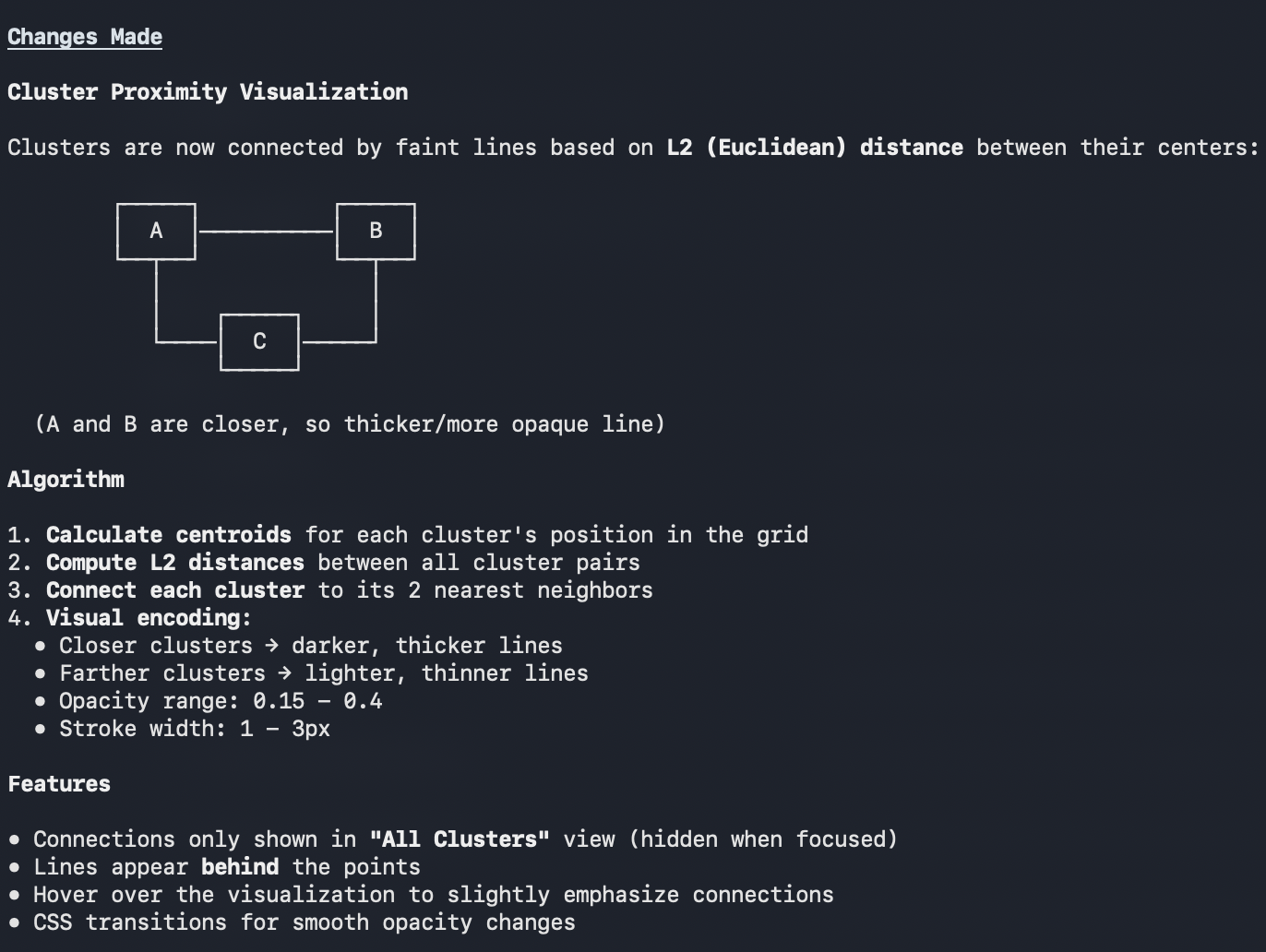
- Visual connections between related clusters (L2 distance)
- Hover to see paper titles, click to open notes
🔹 Persistent Results
Clustering results are saved directly to your vault as a Markdown document with embedded metadata. Reopen the document anytime to restore the full visualization—no need to re-run clustering.
Technical Highlights
The plugin demonstrates several interesting technical approaches:
- Dynamic library loading: UMAP and clustering libraries load on-demand to keep plugin startup fast
- Embedding caching: Reuse embeddings for quick re-clustering with different parameters
- Dimensionality reduction: UMAP reduces high-dimensional embeddings to 2-5D for effective clustering
- Quality-controlled labeling: Automatic detection and rejection of low-quality generated labels
Real Impact
Even in its current form, Paper Clusterer has transformed how I navigate my research:
- Rediscovered connections between papers I’d forgotten about
- Identified gaps in my literature review by seeing cluster sizes
- Linked lecture materials with relevant research papers
- Generated structured literature review outlines automatically
Get Started
| |
GitHub: github.com/yiyang92/obsidian-paper-clusterer
Roadmap
- Fragment-level clustering (cluster parts of documents, not just whole notes)
- Enhanced visualizations with 3D exploration
- Time-based clustering (see how your research interests evolve)
- Integration with Zotero and other reference managers
- Official Obsidian Community Plugin store submission
Acknowledgments
Huge thanks to Moonshot AI for the developer tools that made experimenting with this idea much easier. Their Kimi models excel at generating precise academic labels.
Also, this project wouldn’t exist without modern agentic coding tools that dramatically lower the barrier to building specialized software.
Contributions welcome! If you find this useful or have ideas for improvement, open an issue or PR on GitHub.